The Pyramid In Memory Database (IMDB) can be used as a target into which to load the data flow. One of the benefits of using the IMDB as a target is that it can also be used as a data source; the data models stored on the IMDB can be used later on to create new models.
- Click here to learn how to connect to the IMDB as a data source.
Configure the IMDB Target
Add the IMDB Target
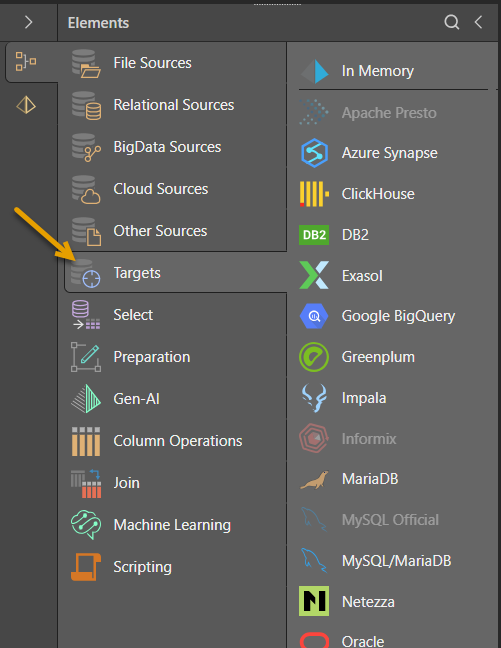
To load the ETL into the Pyramid IMDB, drag the In Memory node from the Targets section of the Elements panel onto the Data Flow:
Database Selection
Select the Target node on the canvas (purple arrow below) and then use the options at the top of the Properties panel to define its details:
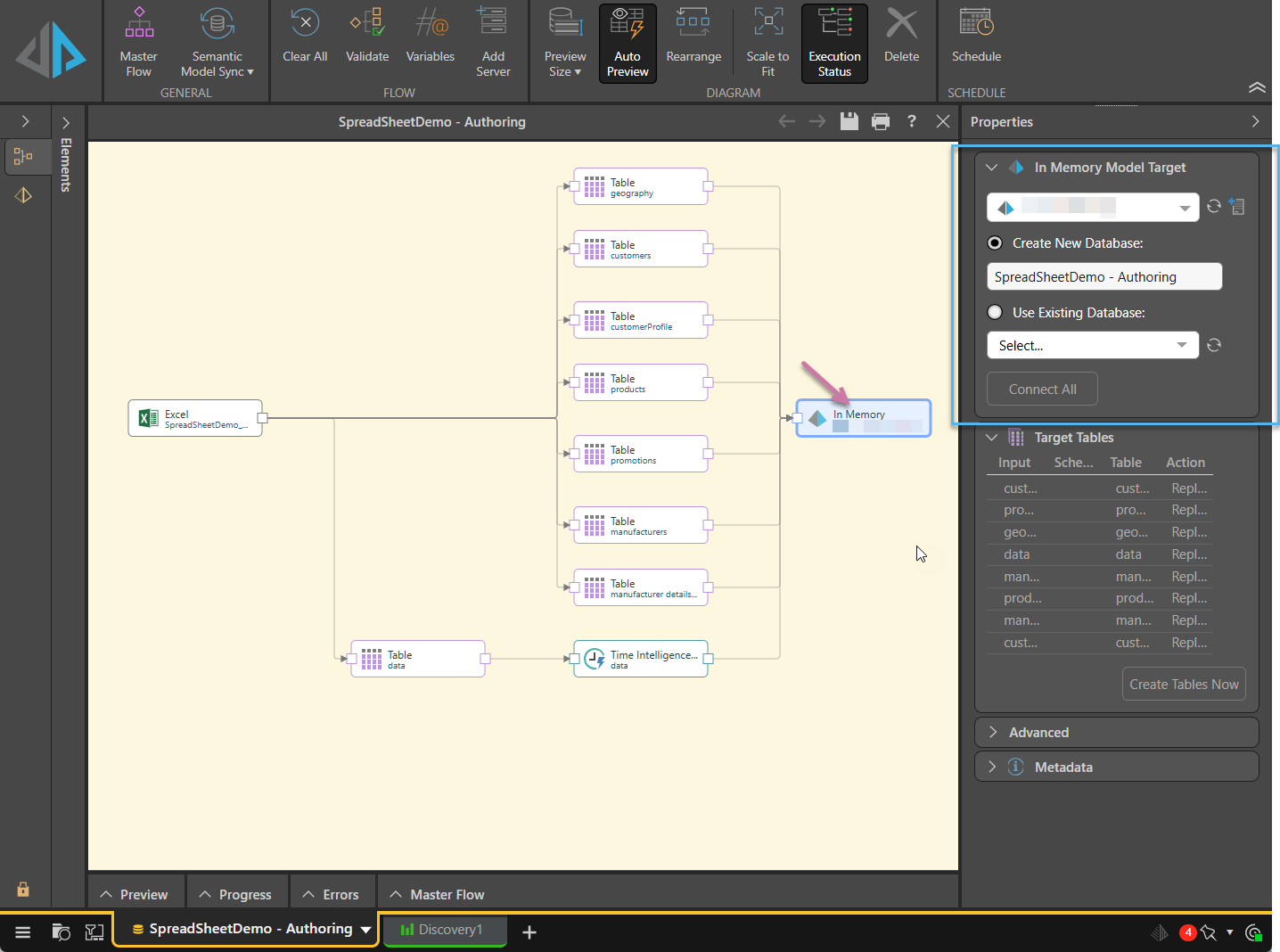
- Select the required IMDB server from the top dropdown list. If the server doesn't appear, try clicking Refresh alongside the list or click Add Server to create a new server if you're an Admin.
- Next, determine whether to load the ETL into a new database or an existing one:
- Select Create New Database and provide a name to create a new database and load the ETL into it. When the ETL is executed, both the new database and the new data model will be materialized.
- Select Use Existing Database and find and select the required database from the dropdown list to load the ETL into an existing database. You can start typing to search for a database, or click refresh to refresh the list of databases.
- Finally, click Connect All to connect the IMDB target to the data flow.
Once you click Connect All, the target node will be connected to the data flow:

- Click here to learn about database and data model materialization.
Target Tables
From the Target Tables window, you can rename the table outputs and change the writing type.
- Click here to learn more about target tables.

Description
As usual, you can add a description in the Description window. This is a useful tool for keeping track of the ETL pipeline, especially if multiple users will be maintaining the model.
 Example: Connect an IMDB Target
In this example, the Pyramid Content source node was used to convert selected Pyramid reports into tables. The ETL was then loaded into an IMDB target, where a new database was created (green highlight below).
The writing type for each table was then changed from Replace to Append (yellow highlight) to save on time and resources when the ETL is re-processed.
